
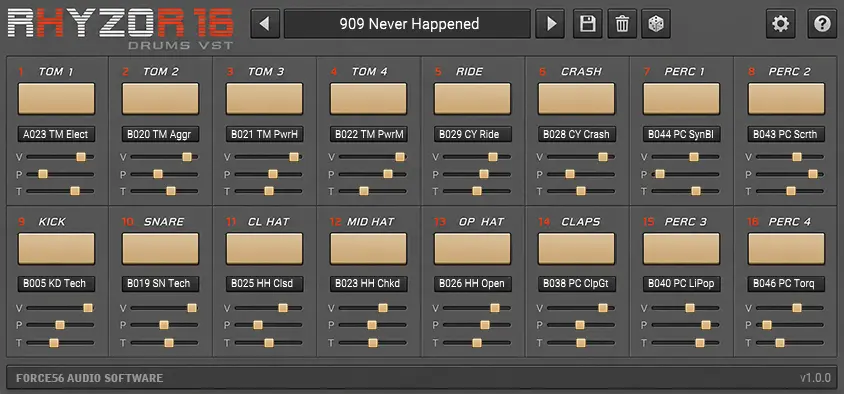
Rhyzor16 Drums VST

Alesis HR-16 VST Plugin

A modern software tribute to the classic Alesis HR-16 and HR-16B drum machines. Compatible with Logic Pro (AU), VST3 & Standalone.

Alesis HR-16 / HR-16B VST plugin interface - Rhyzor16 Drums VST
One-time payment • Lifetime license & free updates Windows + macOS • VST3 • AU • Standalone 3 computer activations • Instant download

Alesis HR-16 and HR-16B sounds in one VST plugin

Looking for an Alesis HR-16 VST plugin for a modern DAW? Rhyzor16 Drums VST brings together the complete sound sets of the classic Alesis HR-16 and HR-16B in one streamlined software instrument for Windows and macOS.

You get 96 original drum sounds in total49 from the HR-16 and 47 from the HR-16B — with independent per-pad volume, pan and the original-style 32-step tuning range. Load a preset, trigger it from MIDI and get straight to making music.

96 HR-16 and HR-16B sounds

Both ROM sound sets live inside one plugin, so switching from the classic HR-16 palette to the darker HR-16B character takes seconds.

Classic 32-step HR-16 tuning

Each pad has independent volume, pan and tuning, including the same 32 tuning steps that made the original machines so much fun to abuse.

Plug in. Pick a kit. Play.

Included presets give you instant starting points, while saving your own modified or completely new sets is deliberately simple.

Alesis HR-16 VST plugin interface - Rhyzor16 Drums VST
HR-16 + HR-16B

Both HR-16 ROM sound sets. One instrument.

  • Rhyzor16 contains all 96 sounds from the two machines: 49 from the original HR-16 and 47 from the HR-16B.

  • No sample browser rabbit hole. Choose the sound you want, shape it on the pad, and keep moving.
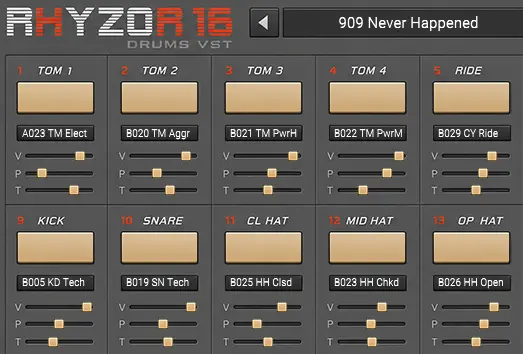
Alesis HR-16 VST per-pad volume pan and tuning controls
Classic flexibility, less friction

HR-16-style tuning with modern preset recall

  • Every pad gets independent volume, pan and 32-step tuning, making radical pitch changes and custom kits immediate.

  • Start from one of the included presets, modify it, randomize it, or build your own. Saving and recalling presets is intentionally painless.
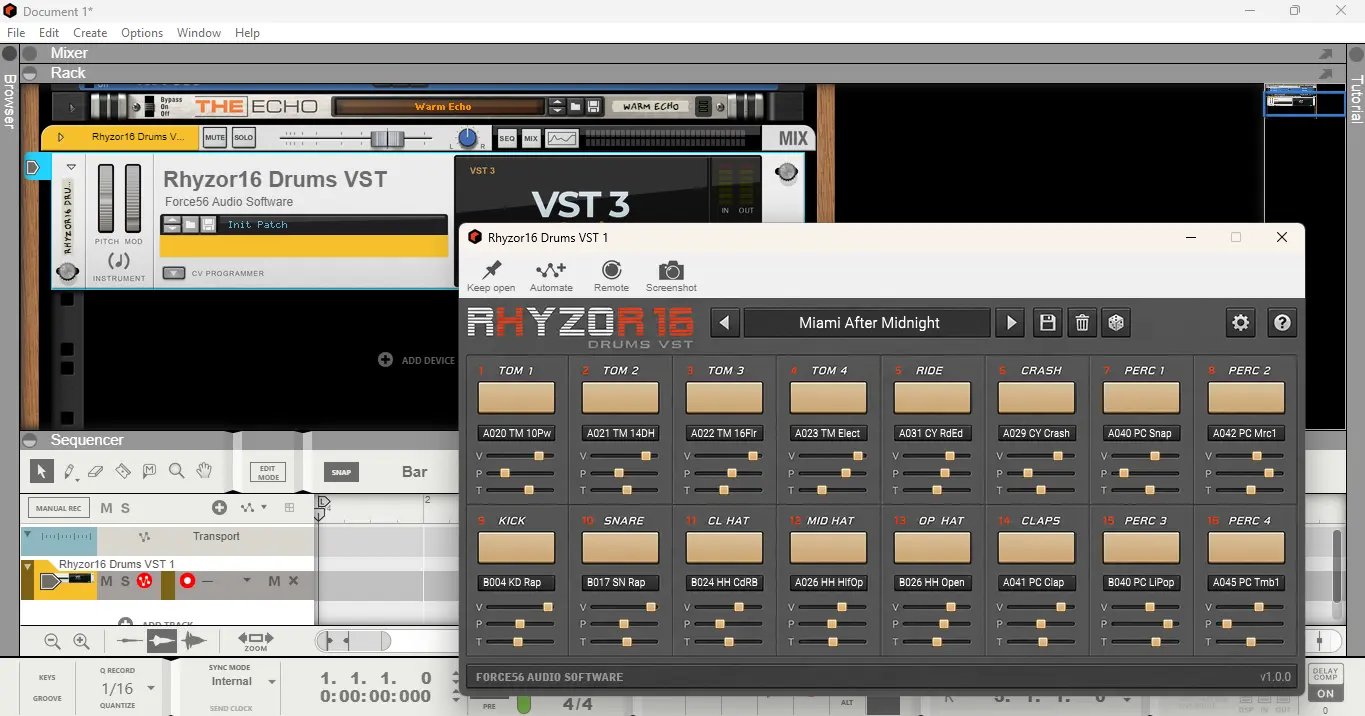
Alesis HR-16 plugin running in a modern DAW
No-frills workflow

An HR-16 VST built for modern DAWs

  • Rhyzor16 is deliberately straightforward: load it, trigger it from MIDI, tweak the pads and record. The DAW handles sequencing; Rhyzor16 handles the drums.

  • Available as VST3, AU and standalone on Windows and macOS, with DAW state recall so your kit comes back with the project.

Rhyzor16 Drums VST Demo

Try the demo - fully functional 2-day trial for macOS & Windows. No registration needed.

macOS

Requires macOS 10.13 or higher
Universal Binary – Intel & Apple Silicon
Includes AU (Logic Pro), VST3 plugins and standalone app

Download Demo

Windows

Requires Windows 10 or higher
64-bit installer (.exe)
Includes VST3 plugin and standalone app, fully featured

Download Demo

Specifications

  • The HR-16 and HR-16B sound sets together in one modern drum instrument
  • 96 sounds total: 49 HR-16 + 47 HR-16B
  • Includes ready-to-play presets plus user preset saving
  • Independent per-pad volume, pan and 32-step tuning
  • AU (Logic Pro) and VST3 plugin formats + standalone application
  • Mappable MIDI drum pad trigger events for flexible workflows

System Requirements

Windows

Windows 10 or later (64-bit)

2GHz CPU, 1GB RAM, ~200MB disk space

VST3 compatible DAW (tested in Cubase, Studio One, Reason, Reaper)

High-performance audio driver (ASIO recommended)

macOS

macOS 10.13 (High Sierra) or later

Intel & Apple Silicon (Universal Binary)

2GHz CPU, 1GB RAM, ~200MB disk space

AU or VST3-compatible DAW (tested in Logic Pro, Cubase, Studio One, Reason)

CoreAudio-compatible audio interface

Frequently Asked Questions

GENERAL

Yes. Rhyzor16 Drums VST is an Alesis HR-16 VST plugin and HR-16B VST for modern Windows and macOS systems. It combines all 96 sounds from both machines with independent per-pad volume, pan and 32-step tuning, preset management and a modern DAW-friendly workflow.

Yes. Rhyzor16 includes both complete sound sets: 49 sounds from the Alesis HR-16 and 47 sounds from the Alesis HR-16B, for a total of 96 drum sounds in one plugin.

Rhyzor16 Drums VST works with all major modern DAWs that support VST3 or AU, including Logic Pro, Ableton Live, Reason, Cubase, Studio One, Reaper, and more.

No. Rhyzor16 Drums VST works fully offline and does not require an internet connection to run. If no internet is available, everything continues to work normally.

TECHNICAL

Rhyzor16 Drums VST runs on both Windows and macOS and works with all major modern DAWs.

Windows requirements:

  • Windows 10 or later (64-bit)
  • VST3-compatible DAW
  • ~200 MB disk space, 1 GB RAM minimum
  • ASIO-compatible audio driver recommended

macOS requirements:

  • macOS 10.13 (High Sierra) or later
  • Intel or Apple Silicon (Universal Binary)
  • AU or VST3-compatible DAW
  • ~200 MB disk space, 1 GB RAM minimum

Included formats:
AU (Logic Pro), VST3, and standalone application.

Rhyzor16 Drums VST includes a standalone application and VST3/AU plugins for both Windows and macOS. It's compatible with major DAWs including Logic Pro (AU), Cubase, Studio One, Reason, Reaper, and more.

Yes. Rhyzor16 Drums VST is provided as a Universal Binary and runs natively on both Intel and Apple Silicon (M1, M2, M3) Macs. No additional configuration or compatibility layers are required.

Yes. Each pad has its own pan control, so you can place individual drum sounds across the stereo field and save that setup as your own preset.

No. Rhyzor16 Drums VST is designed as a sound-generating drum instrument, not as a MIDI pattern generator. All sequencing and MIDI routing should be handled by your DAW, ensuring maximum compatibility and predictable behavior across different hosts.

LICENSING & DEMO

Rhyzor16 Drums VST demo (which you can download here) offers a fully functional 2-day trial period. Once the trial expires, the plugin will stop outputting audio until you register it with a valid license.

After purchasing your Rhyzor16 Drums VST license, you’ll receive an email containing detailed installation instructions, including your license serial key. Simply follow the installation steps provided to register your copy and remove any demo limits.

Yes. You can install and activate Rhyzor16 Drums VST on up to three (3) personal computers. This is intended for your own use — for example, a main studio machine, a laptop, or a secondary setup. You’re free to mix Windows and macOS installations as needed. If you ever change or replace a computer, simply install and activate the plugin on the new system.

No. We do not like physical dongles for software activation. You will only need to activate your copy using your serial key information.

If you’re not satisfied with your purchase, we’re happy to issue a refund. We may ask a few optional questions to better understand your experience and improve the product, but providing feedback is never required for a refund. Please note that while refund requests are approved by us, the actual processing time may vary depending on the payment provider (such as PayPal or the card processor), as they apply their own policies and timelines. If you ever have any issues or questions, feel free to contact us at support@force56audio.com and we’ll be happy to help.

UPDATES & SECURITY

Yes. Your Rhyzor16 Drums VST license includes lifetime access to all updates. The application performs a lightweight update check on launch and will notify you when a new version is available. When an update is available, you will be prompted to download the latest installer manually from the official GitHub Releases page. This ensures a reliable and consistent update process on both Windows and macOS. If no internet connection is available, the plugin will continue to work normally.

This warning can appear because Rhyzor16 Drums VST is independently distributed and may not yet be recognized by Windows SmartScreen. The installer is 100% safe and does not contain any malware, spyware, or unwanted software. To proceed, click 'More info' on the warning dialog, and then select 'Run anyway' to continue with the installation. If you have any concerns, feel free to reach out to our support team at support@force56audio.com.

Subscribe to our newsletter

Keep updated with the latest news about our products and company.