Two valid ways to use SR-16 sounds
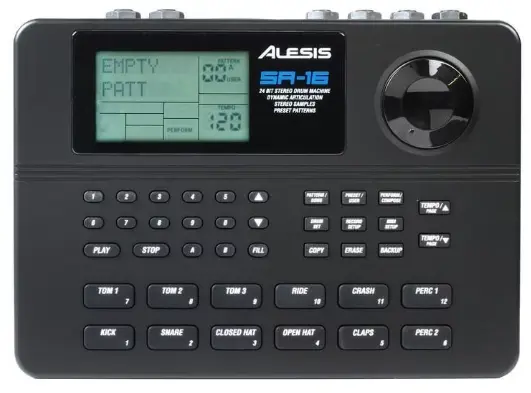
If you like the sound of the Alesis SR-16, there are two obvious ways to use it in a modern setup:
Load the raw WAV samples into your own sampler
Use a dedicated plugin built around the SR-16 workflow
Both approaches can work, but they are not equally fast, convenient, or complete.
Using raw SR-16 samples
The raw-samples route is simple in theory: download WAV files, drag them into a sampler, assign pads, and start programming.
Advantages
Very flexible if you already know your sampler well
Easy to mix with other sample sources
Good for custom kits and one-off experiments
Limitations
You must map everything yourself
Factory drumsets are not instantly available as complete kits
Session recall depends on your sampler setup
It can become slow when you just want to write music quickly
Using a dedicated SR-16 style plugin
A dedicated plugin changes the experience. Instead of assembling the drum machine yourself, you open the instrument and start from a working setup immediately.
That matters more than it sounds, because workflow has a real effect on creativity.
Advantages
Instant access to complete kits
Consistent recall inside the DAW project
Faster sound browsing and adjustment
A more instrument-like experience instead of file management
Tradeoff
Less “blank slate” freedom than building everything manually from WAVs
What matters most in real-world use
The real question is not “Which one is theoretically better?” It is “Which one gets you to a usable result faster?”
If you are:
Designing totally custom kits from many sources, raw samples make sense
Trying to capture the SR-16 experience more directly, a plugin makes more sense
Writing fast demos or songs, speed usually wins over flexibility
Where Pulse16 Drums VST fits
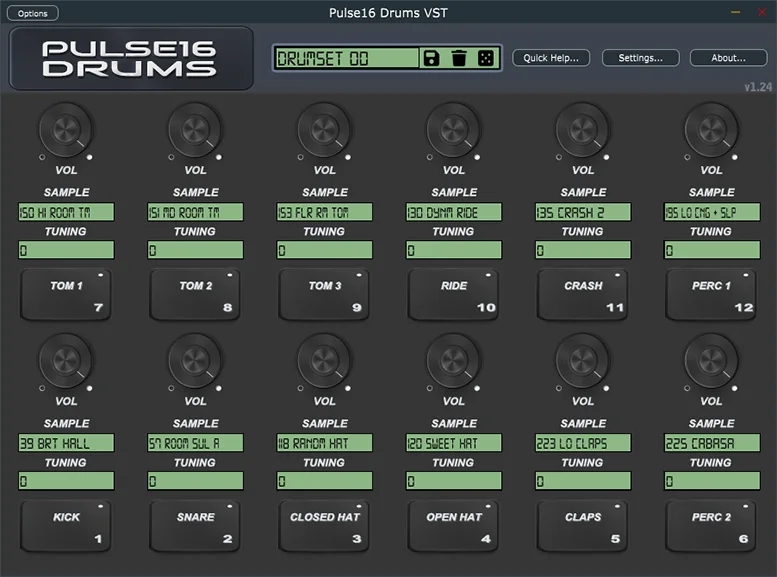
Pulse16 Drums VST exists for the cases where you want the sound and spirit of the SR-16, but without rebuilding that environment manually each time.
Instead of dragging random WAVs into a sampler and reconstructing kits one by one, you get:
All 233 original samples
All 50 factory drumsets
Per-pad tuning and level control
A workflow designed to feel immediate inside a DAW
Want the faster SR-16 workflow?
If your goal is to get that SR-16 sound into your music quickly and cleanly, the dedicated-plugin route is probably the better one.
- All 233 original samples
- All 50 factory drumsets
- Per-pad editing
- Fast DAW recall